Page 1 of 1
Overflow menu icon
Posted: Tue Apr 29, 2014 8:16 pm
by Pat
The overflow menu on iOS is using the Share icon.
https://developer.apple.com/library/ios ... -CH12-SW33
While this may well be the context for some menu actions, it's not appropriate for in-app commands.
Is there a way of altering the Icon?
Re: Overflow menu icon
Posted: Wed May 14, 2014 9:48 am
by tsupartono
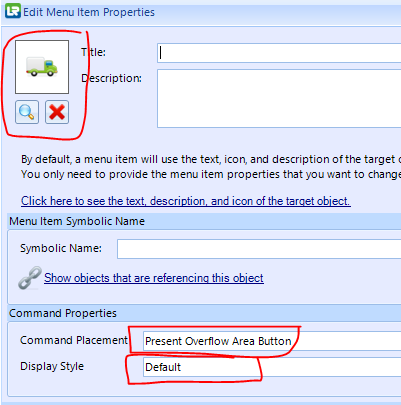
You can change the icon by creating a form command item with placement 'Present Overflow Area Button'.
Make sure 'Display Style' is set to 'Default'
- 1.PNG (20.41 KiB) Viewed 3687 times
Re: Overflow menu icon
Posted: Wed May 14, 2014 9:56 am
by MarkDuignan
Not sure I agree about the icon just being for sharing - the Apple doco says "Meaning : Open an action sheet that lists system-provided and app-specific services that act on the specified content.".
Re: Overflow menu icon
Posted: Wed May 14, 2014 10:16 am
by MarkDuignan
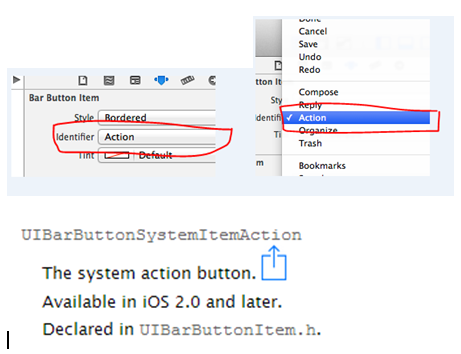
At the XCode Objective-C coding level Apple provide a standard button called the System Action button …
- image2.png (59.51 KiB) Viewed 3682 times
The action button uses that icon – so I think Apple do mean it to mean more than just Share.