Page 1 of 3
(RDMLX) Any way to force a focus refresh?
Posted: Tue Apr 22, 2014 11:34 am
by stevec
I have a dynamic dropdown that due to amount of data I implement in 2 steps (same field). Step 1 produces a list for each letter of Alphabet that exists in the source DB file. Once users selects a letter I want to force a focus refresh to the same field so that the drop down will expand. Currently it has to be pressed by user which is a frustrating extra step that should not be required.
Note that focusing on any dropdown not currently in focus will auto-expand just fine. In fact after my step 2 of dynamic drop down here I focus on a previously disabled drop down that then dynamically expands perfectly.
(RDMLX) Re: Any way to force a focus refresh?
Posted: Tue Apr 22, 2014 11:48 am
by MarkDuignan
Are you using RPG or RDMLX (LANSA) to code in?
Re: Any way to force a focus refresh?
Posted: Tue Apr 22, 2014 11:49 am
by stevec
rdmlx
Re: (RDMLX) Any way to force a focus refresh?
Posted: Tue Apr 22, 2014 11:54 am
by MarkDuignan
Would a screen print be possible to help us envision what you need to achieve?
Re: (RDMLX) Any way to force a focus refresh?
Posted: Tue Apr 22, 2014 12:10 pm
by stevec
Left ipad at work so excuse the iphone small screens
The Seires is the field I am referring to. Here it is before touched
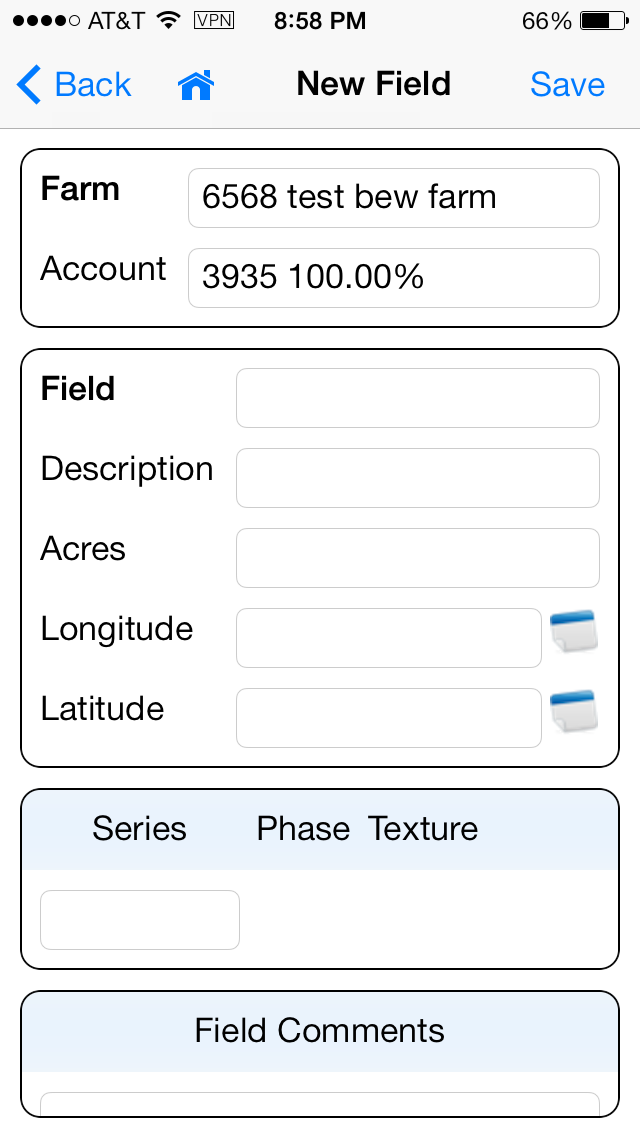
- DD before focus.PNG (74.04 KiB) Viewed 7708 times
After manual touch it expands to letters dynamically determined from DB file
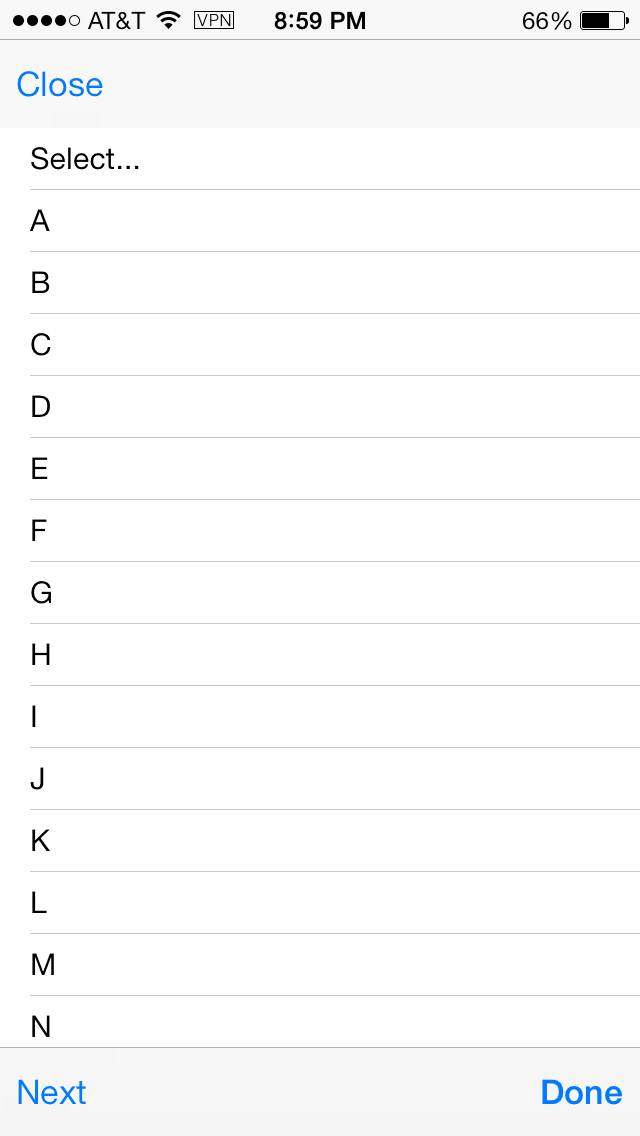
- DD on touch letters.PNG (32.58 KiB) Viewed 7708 times
Here is problem after letter selected the drop down colapses
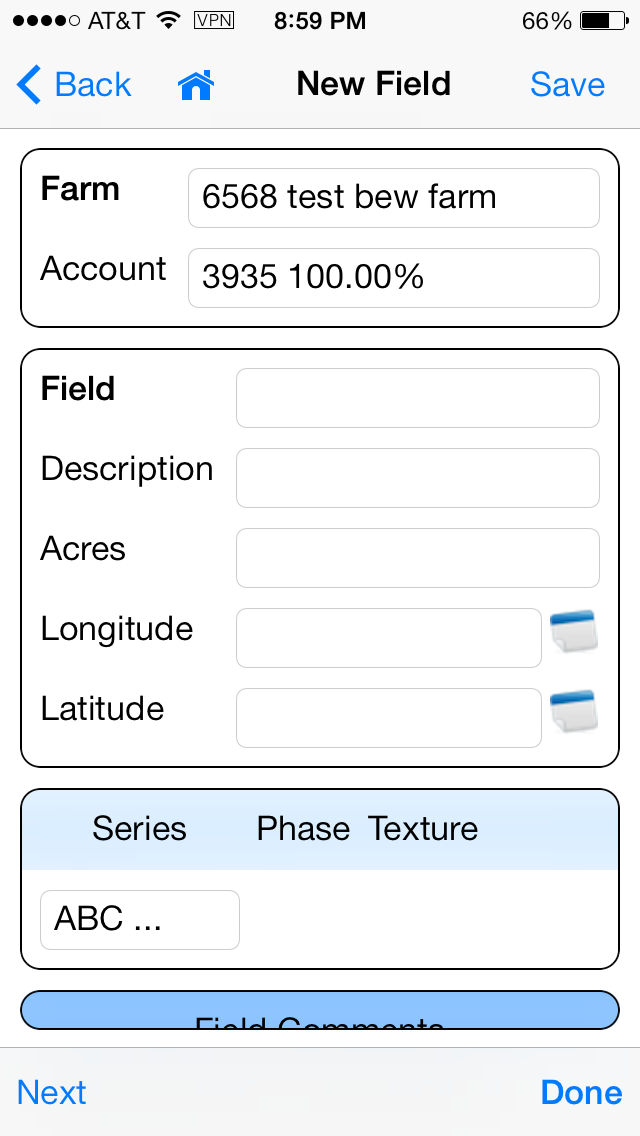
- dd after selected (problem).PNG (80.24 KiB) Viewed 7708 times
Re: (RDMLX) Any way to force a focus refresh?
Posted: Tue Apr 22, 2014 12:13 pm
by stevec
So user has to manually retouch same field to expand. This is what I want it to do but since the field is already in focus it will not expand. telling setting entire form to null and refocusing does not work either.
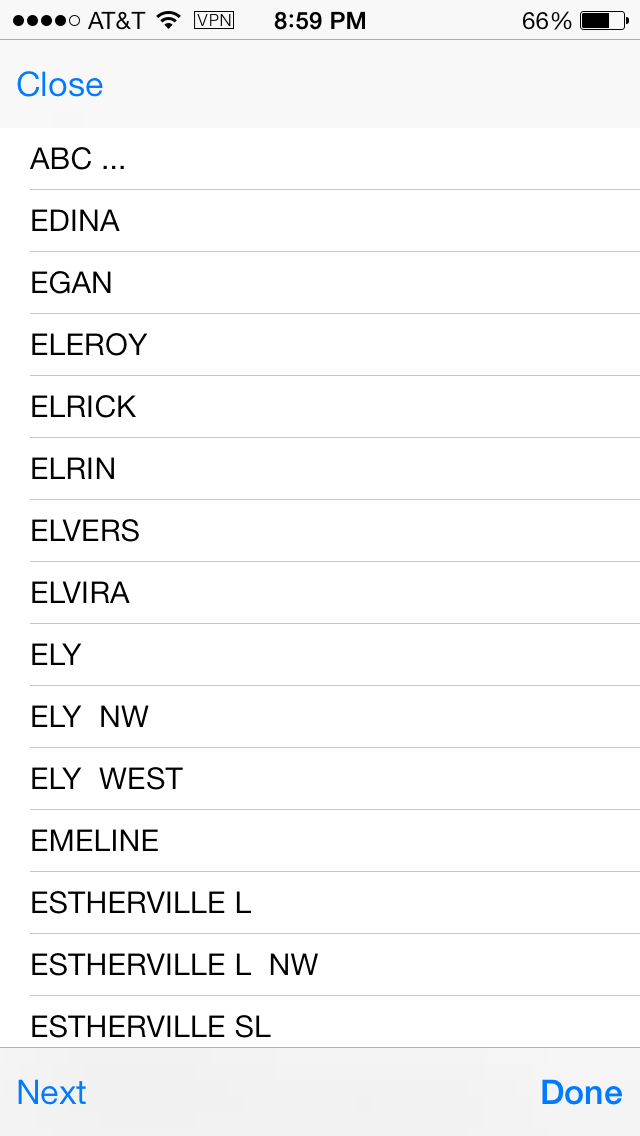
- dd manually expanded by touch.PNG (51.7 KiB) Viewed 7705 times
Re: (RDMLX) Any way to force a focus refresh?
Posted: Tue Apr 22, 2014 4:40 pm
by Mark_Dale
If I've understood what you are trying to do correctly, my example seems to work ok for me. (tested on an IPad 3)
Using the same dropdown, to drill down with.
Say level 1 is Select a letter from A B C D E ...
Say Level 2 is Select an employee with a surname starting with the level 1 letter.
Say you have selected the letter S, for level 1
What you want is for the dropdown to be re-displayed expanded with SMITH SMITHSON SMITHS etc,
The HasFocus property of the dropdown will cause it to display with the dropdown expanded
And that is the behaviour I get.
(Note the various warnings in the documentation for the HasFocus property - in particular - Do not set the focus to multiple elements as this will cause undefined behaviour)
Re: (RDMLX) Any way to force a focus refresh?
Posted: Wed Apr 23, 2014 1:34 pm
by stevec
Mark can you confirm that you are NOT rewriting your form? I expect it would work on a newform. But rewriting a form is not what I want to do. I only want to dynamically change the drop down.
Re: (RDMLX) Any way to force a focus refresh?
Posted: Thu Apr 24, 2014 3:29 pm
by Mark_Dale
If you want the behaviour you are after, and you also want to use isNewForm := false, you can set the dropdown to null, just prior to creating it.
e.g. (altering my example slightly)
When (= LEVEL2CHANGED)
* The user selected a value from the level 2 drop down
#COM_OWNER.IsNewForm := False
#Com_Owner.Get_DropDown Name(LEVEL1) Value(#uLevel2)
#Com_Owner.Set_Null Property(LEVEL1)
#Com_Owner.LoadLevel3
#Com_Owner.Set_Dropdown Layout_Row(2) Layout_Col(2) Onvaluechange(LEVEL3CHANGED) Value(*blanks) Name(LEVEL1) HasFocus(True)
Re: (RDMLX) Any way to force a focus refresh?
Posted: Fri Apr 25, 2014 12:38 am
by stevec
Mark when I try your suggestion I get the same result. Focus in field not expanded going from level 1 to level 2
* ==================================
* Drop Down for Soild Series (Part of Caller Form)
* ==================================
Function Options(*DIRECT)
Begin_Com Role(*EXTENDS #LRNG_FORM)
Define_Com Class(#std_int) Name(#uDDIndex)
Define_Com Class(#std_text) Name(#uDDItemText)
Define_Com Class(#std_text) Name(#uDDItemValue)
Define Field(#Alphabet) Type(*char) Length(26)
Define_Com Class(#PRIM_BOLN) Name(#Focus)
Define_Com Class(#PRIM_BOLN) Name(#Disable)
* Soil Series
Mthroutine Name(uDdSeries)
Define_Map For(*Input) Class(#Lrng_form) Name(#FormView) Help('Set to #com_owner') Pass(*BY_REFERENCE)
Define_Map For(*INPUT) Class(#STD_STRNG) Name(#uName) Mandatory(DdSeries)
Define_Map For(*INPUT) Class(#STD_STRNG) Name(#uOnChange) Mandatory(DdSeries_Changed)
Define_Map For(*INPUT) Class(#STD_INT) Name(#uRow)
Define_Map For(*INPUT) Class(#STD_INT) Name(#uColumn)
Define_Map For(*INPUT) Class(#STD_Strng) Name(#uValue) Mandatory(' ')
#Focus := False
* Remove all pre-existing drop down values
#FormView.Set_Null Property('/Form.Fields.' + #uName)
#FormView.Set_Null Property('/Form.Fields.' + #uName + '.Item')
Case Of_Field(#uValue)
When Value_Is(= *Blanks = *Zero.AsString)
* Alphabet
#uDDIndex := 1
#FormView.Set_Dropdown Item_N(#uDDIndex) Item_Text('Select...') Item_Value(*Blanks) Name(#uName)
#Alphabet := 'ABCDEFGHIJKLMNOPQRSTUVWXYZ'
Begin_Loop Using(#STD_IDNO) To(26)
* Only show letter if a series exists starying with it
#uDDItemValue := #Alphabet.Substring( #STD_IDNO 1 )
Select Fields(#AEDESC) From_File(ASERIESa) With_Key(#uDDItemValue.Substring( 1 1 )) Generic(*YES)
#uDDIndex += 1
#uDDItemText := #uDDItemValue
#FormView.Set_Dropdown Item_N(#uDDIndex) Item_Text(#uDDItemText) Item_Value(#uDDItemValue) Name(#uName)
Leave
Endselect
End_Loop
Otherwise
* All matching Series for letter
#uDDIndex := 1
#FormView.Set_Dropdown Item_N(#uDDIndex) Item_Text('ABC ...') Item_Value(*Blanks) Name(#uName)
If Cond(#uValue.IsNumber)
* Series number
#AESERI := #uValue.AsNumber
Fetch Fields(#AEDESC) From_File(ASERIES) With_Key(#AESERI)
#STD_ALPHA := #AEDESC.Substring( 1 1 )
Select Fields(#AESERI #AEDESC) From_File(ASERIESa) With_Key(#STD_ALPHA) Generic(*YES)
#uDDIndex += 1
#uDDItemValue := #AESERI.AsString
#uDDItemText := #AEDESC
If Cond(#AESERI = #uValue.AsNumber)
#CSBOOL := True
Else
#CSBOOL := False
Endif
#FormView.Set_Dropdown Item_N(#uDDIndex) Item_Text(#uDDItemText) Item_Value(#uDDItemValue) Name(#uName) Hasfocus(#CSBOOL)
Endselect
Else
* Letter
Select Fields(#AESERI #AEDESC) From_File(ASERIESa) With_Key(#uValue.Substring( 1 1 )) Generic(*YES)
#uDDIndex += 1
#uDDItemValue := #AESERI.AsString
#uDDItemText := #AEDESC
#FormView.Set_Dropdown Item_N(#uDDIndex) Item_Text(#uDDItemText) Item_Value(#uDDItemValue) Name(#uName)
Endselect
#Focus := True
#uValue := *Blanks
Endif
Endcase
* Set the DropDown
If Cond(#uRow.IsNull)
* Table likely
#FormView.Set_Dropdown Onvaluechange(#uOnChange) Value(#uValue) Name(#uName) Hasfocus(#Focus)
Else
* Specific Row/Column
#FormView.Set_Dropdown Layout_Row(#uRow) Layout_Col(#uColumn) Onvaluechange(#uOnChange) Value(#uValue) Name(#uName) Hasfocus(#Focus)
Endif
Endroutine